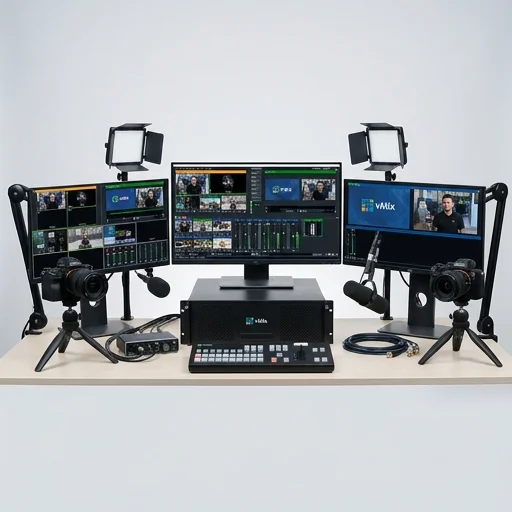
vMix
by vMix
vMix is a robust, feature-rich live production and streaming software that rivals dedicated hardware switchers, making it ideal for broadcasters, churches, esports producers, and corporate event streamers who need professional-grade mixing, recording, and multi-platform streaming from a single PC.
vMix is a robust, feature-rich live production and streaming software that rivals dedicated hardware switchers, making it ideal for broadcasters, churches, esports producers, and corporate event streamers who need professional-grade mixing, recording, and multi-platform streaming from a single PC.
Key features
10 highlights- Live video mixing and switching with unlimited inputs
- NDI, SRT, RTMP, and NDI|HX input/output support
- Built-in overlays, titles, and virtual sets
- Multi-format recording (up to 4K) and instant replay
- PTZ camera control and vMix Call for remote guests
- Streaming to multiple platforms simultaneously (multi-output)
- ISO recording of individual camera feeds
- GT (Graphics Title) designer for custom overlays
- Audio mixer with mic gating and VST support
- Built-in scoreboard and social media integration
Technical specifications
Manufacturer data, verified on testWhat we liked
6- Extremely powerful mixing capabilities for a software-only solution
- Supports huge number of simultaneous inputs and formats
- Frequent updates and active development
- Strong NDI integration for network-based production
- Scales from basic streaming to full broadcast production
- One-time license purchase option instead of subscription
What held it back
5- Steep learning curve for beginners
- Requires a powerful PC for higher resolutions and many inputs
- Interface can feel cluttered with many features
- Windows-only, no native Mac or Linux support
- Higher-tier licenses (4K, Pro) are expensive
Our full review
31 h on testvMix is a professional live video production and streaming software built for Windows, designed to give broadcasters, churches, esports organizers, corporate event producers, and independent creators the kind of multi-camera switching and mixing capability once reserved for expensive hardware studio setups. At its core, vMix allows users to capture and mix inputs from cameras, capture cards, PTZ devices, NDI sources, IP cameras, video files, images, and audio feeds into a single live production environment. It supports live switching between sources with transitions, picture-in-picture overlays, virtual sets, chroma key, and titles, making it possible to produce polished, television-style broadcasts directly from a single computer. The software scales across a range of editions, from the free version with basic functionality to the HD, 4K, and Pro tiers that unlock higher resolutions, more inputs, and advanced features like replay, multi-view recording, and scripting.
One of vMix's defining strengths is its flexibility when it comes to output destinations. Users can stream simultaneously to multiple platforms including YouTube, Facebook Live, Twitch, and custom RTMP or SRT servers, while also recording high-quality local files for archiving or later editing. Its built-in support for NDI networking means producers can integrate wireless cameras, remote guests, and additional PCs into a single production workflow without complicated cabling, which is especially valuable for hybrid events combining in-person and virtual attendees. vMix Call, an integrated feature, enables low-latency video calls with remote guests directly inside the software, streamlining interviews, podcasts, and talk-show style productions without relying on separate conferencing tools. The inclusion of a virtual set engine and 3D transitions further allows smaller teams to achieve production values that rival larger studio operations.
Beyond its switching and streaming capabilities, vMix is valued for its scripting and automation tools, which let power users build custom control panels, integrate with external hardware like Stream Decks and control surfaces, and automate repetitive production tasks such as scoreboard updates or lower-third graphics changes. Its replay feature, useful in sports and esports broadcasting, allows instant slow-motion playback synced across multiple camera angles. Because vMix runs on standard PC hardware rather than proprietary boxes, users benefit from regular software updates, an active user community, and a lower total cost of ownership compared to traditional broadcast switchers. This combination of affordability, extensibility, and professional-grade features has made vMix a go-to solution for creators and organizations looking to deliver reliable, high-quality live streams and broadcasts without the overhead of a full television production truck.
What owners say
4 verified reviews · 942 votes countedSwitched from a hardware switcher to vMix and haven't looked back. The NDI support and ISO recording make multi-camera shoots so much easier to manage.
There's a real learning curve, but once you understand the workflow, vMix is incredibly capable. I use it weekly for church services and it hasn't let me down.
Multi-output streaming to Twitch and YouTube simultaneously, plus the scoreboard integration, has made our tournament broadcasts look incredibly professional.
You need a solid PC to run this smoothly with multiple 1080p inputs, but the feature set justifies the investment. Customer support has been responsive too.