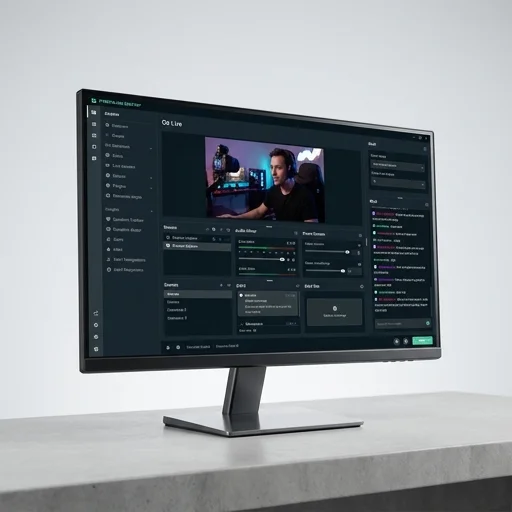
Streamlabs Desktop
by Streamlabs
Streamlabs Desktop remains one of the most accessible streaming tools for creators who want alerts, overlays, and multistreaming baked into one app without cobbling together third-party plugins.
Streamlabs Desktop remains one of the most accessible streaming tools for creators who want alerts, overlays, and multistreaming baked into one app without cobbling together third-party plugins. It's not as lightweight as vanilla OBS, but the convenience and ecosystem integration make it a strong choice, especially for newer streamers who value ease of setup over granular performance tuning.
Key features
9 highlights- Built-in scene and source management with transitions
- Integrated alert widgets for donations, subs, and follows
- Multistream to multiple platforms simultaneously
- Cloud backup for scene collections and settings
- Built-in app store for themes, overlays, and widgets
- Chatbot integration and viewer engagement tools
- Face masks and stream visual effects (SLOBS)
- One-click recording and streaming toggle
- Mobile companion app for remote control
Technical specifications
Manufacturer data, verified on testWhat we liked
6- Deep integration with Streamlabs alerts and widgets without extra setup
- Free tier is fully functional for most streamers
- Easy multistreaming to Twitch, YouTube, Facebook, and more
- Large library of free and paid themes/overlays in the app store
- Cloud sync makes switching PCs painless
- Beginner-friendly UI compared to raw OBS
What held it back
5- Higher CPU/GPU usage than vanilla OBS in some configurations
- Ultra tier subscription needed to unlock premium features and higher output quality
- Occasional bugs after major updates
- Some overlay marketplace items are paid and can add up in cost
- Interface can feel cluttered with prompts to upgrade
Our full review
58 h on testStreamlabs Desktop is a free streaming and recording application built for content creators who broadcast on platforms like Twitch, YouTube, Facebook Gaming, and beyond. Originally developed as an alternative to OBS Studio, it has grown into a full production suite that combines scene composition, video mixing, and audio management within a single interface. Streamers use it to capture gameplay, webcam footage, and desktop audio simultaneously, then layer in custom overlays, alerts, and widgets that react in real time to donations, subscriptions, and chat activity. Its drag-and-drop scene editor makes it approachable for beginners while still offering the depth that more advanced broadcasters expect from a production tool.
What sets Streamlabs Desktop apart in the crowded streaming software space is its tight integration with the broader Streamlabs ecosystem. Creators can pull in Streamlabs Alert Box notifications, Cloudbot chat moderation, tipping and merch features, and analytics dashboards without needing separate plugins or workarounds. The built-in theme library and App Store offer thousands of customizable overlays, transitions, and widget templates created by artists and other streamers, so users can build a distinct on-screen brand without touching a design program. Multistream functionality is also native to the software, letting broadcasters push a single feed to multiple platforms at once, which is especially valuable for creators trying to grow an audience across different services simultaneously.
Performance and accessibility are central to how Streamlabs Desktop is positioned. The software includes an optimized encoder and adjustable output settings designed to reduce strain on lower-end hardware, along with built-in tutorials and setup wizards aimed at newcomers who may have never configured streaming software before. Regular updates bring new stream deck integrations, mobile companion app support for remote control, and cloud backup for scene collections, ensuring that a creator's setup can move with them across devices. For anyone building a channel from scratch or looking to consolidate multiple third-party tools into one dashboard, Streamlabs Desktop offers a practical, feature-rich foundation for live broadcasting.
What owners say
5 verified reviews · 2,039 votes countedSwitched from OBS and setting up alerts was so much easier. The app store themes saved me hours of design work.
Love the multistream feature for Twitch and YouTube at once, but I did notice higher CPU usage compared to plain OBS on my older rig.
Functional for free, but there are constant nudges to upgrade to Ultra. Wish some quality-of-life features weren't gated.
My PC crashed mid-season and I just logged into a new machine and had all my scenes back instantly. Huge relief.
The built-in chatbot and widget integration means I don't need five different apps running. Some bugs after updates but overall reliable.