OBS Studio
by OBS Project
OBS Studio remains the gold standard for free streaming and recording software, offering professional-grade features without cost.
OBS Studio remains the gold standard for free streaming and recording software, offering professional-grade features without cost. While the interface can intimidate newcomers, the flexibility, plugin ecosystem, and rock-solid performance make it the top choice for streamers and content creators who don't mind a bit of setup.
Key features
8 highlights- Live streaming to platforms like Twitch, YouTube, Facebook
- High-performance real-time video/audio capture and mixing
- Unlimited scenes and sources with custom transitions
- Built-in encoder settings (x264, NVENC, QuickSync, AMF)
- Studio Mode for scene preview before going live
- VST plugin support for audio filters
- Cross-platform: Windows, macOS, Linux
- Extensible via scripting (Lua/Python) and plugins
Technical specifications
Manufacturer data, verified on testWhat we liked
6- Completely free and open source
- No watermarks or feature paywalls
- Highly customizable with plugins and scripts
- Strong community support and documentation
- Supports multi-platform streaming and local recording simultaneously (with plugins)
- Regular updates and active development
What held it back
5- Steep learning curve for beginners
- No built-in cloud backup for scenes/settings
- Advanced features require manual configuration
- Performance can be CPU/GPU intensive on older hardware
- Limited official customer support (community-driven only)
Our full review
50 h on testOBS Studio, short for Open Broadcaster Software, is a free and open-source application built for anyone who wants to record video or stream live content across platforms like Twitch, YouTube, and Facebook Gaming. Developed and maintained by a dedicated community of contributors, it has become the backbone of countless streaming setups, from small hobbyist channels to large-scale professional broadcasts. What makes OBS Studio stand out is its complete lack of licensing fees or subscription costs, making high-quality production tools accessible to creators regardless of budget. It runs on Windows, macOS, and Linux, ensuring broad compatibility no matter what system a streamer prefers to use.
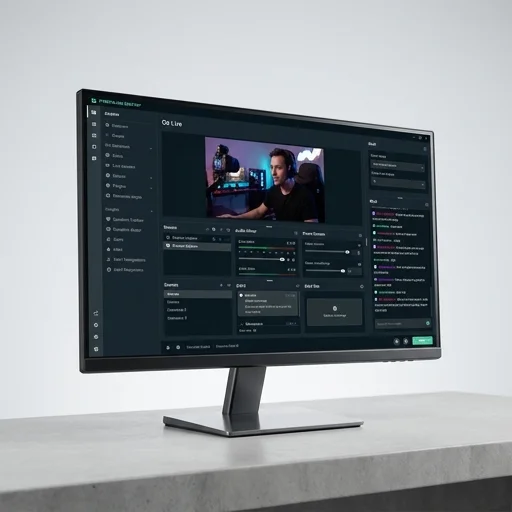
At its core, OBS Studio offers a flexible scene composition system that allows users to combine webcams, capture cards, browser sources, images, and text overlays into a single cohesive broadcast. Streamers can build multiple scenes for different segments of their show, such as a starting screen, an in-game view, or an intermission layout, and switch between them seamlessly during a live session. The software also supports advanced audio mixing with per-source filters like noise suppression, compression, and gain control, giving creators studio-level sound management without needing separate expensive equipment. Its encoder settings support both software and hardware acceleration, including NVENC, QuickSync, and AMF, letting users optimize performance based on their specific hardware configuration.
Beyond its core recording and streaming capabilities, OBS Studio thrives because of its plugin ecosystem, which extends functionality far beyond the default feature set. Tools for chat integration, alerts, virtual cameras, and advanced compositing are readily available through community-built plugins, allowing users to customize their setup to fit specific workflows. The built-in scripting support, using Lua or Python, appeals to more technical users who want to automate scene changes or build custom tools tailored to their channel. Because of its transparency, active development cycle, and strong community support, OBS Studio remains a trusted, adaptable solution for creators seeking full control over their streaming and recording pipeline.
What owners say
4 verified reviews · 802 votes countedI've used paid alternatives and nothing beats OBS for control and stability. Scene switching and audio mixing are rock solid.
Took me a weekend to get my overlays and scenes configured properly, but once set up it just works flawlessly every stream.
The scripting support let me automate my entire stream workflow. Can't imagine going back to closed-source software.
Been using it for over two years for both streaming and recording tutorials. Occasional crashes with certain plugins but overall very stable.