Restream
by Restream
Restream remains one of the most practical solutions for creators and businesses wanting to broadcast across multiple platforms simultaneously without juggling separate software.
Restream remains one of the most practical solutions for creators and businesses wanting to broadcast across multiple platforms simultaneously without juggling separate software. Its browser-based Studio, unified chat, and solid multistreaming reliability make it a strong choice, though some advanced features are reserved for paid tiers.
Key features
8 highlights- Simultaneous multistreaming to 30+ platforms including YouTube, Twitch, Facebook, and LinkedIn
- Cloud-based Restream Studio for browser-based live production without extra software
- Live chat aggregation from all connected platforms into one unified chat window
- Custom RTMP destination support for niche or self-hosted streaming endpoints
- Built-in analytics dashboard tracking viewer engagement across channels
- Customizable stream overlays, scenes, and branding assets
- Team collaboration tools allowing multiple hosts and guests in one stream
- Scheduling and recording features for stream planning and content reuse
Technical specifications
Manufacturer data, verified on testWhat we liked
5- Saves massive time by streaming everywhere at once
- Studio interface is intuitive even for non-technical users
- Unified chat makes audience engagement much easier
- Reliable uptime with minimal dropped streams
- Good value compared to running separate encoders per platform
What held it back
5- Free tier is limited in resolution and branding options
- Advanced analytics locked behind higher-tier plans
- Occasional lag when adding multiple guests in Studio
- Learning curve for custom RTMP and overlay setup
- Mobile app lacks full feature parity with desktop
Our full review
57 h on testRestream is a multistreaming platform built for creators, businesses, and podcasters who want to broadcast live video to multiple destinations simultaneously without juggling separate setups for each one. Instead of choosing between YouTube, Twitch, Facebook, LinkedIn, TikTok, or X, users connect their preferred streaming software or use Restream's own browser-based Studio to send a single live feed out to over thirty platforms at once. This eliminates the technical headache of running multiple encoders or duplicating hardware resources, letting streamers reach audiences wherever they already gather instead of forcing viewers to migrate to one channel.
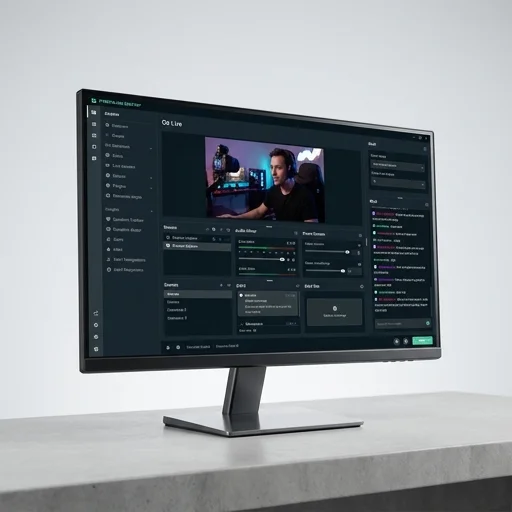
At the core of Restream's offering is Restream Studio, a no-download, browser-based production tool that lets hosts bring on guests via a simple link, add branded overlays, lower-thirds, and custom scenes, and manage multi-camera or screen-share layouts in real time. This makes it especially appealing to podcasters and interview-style shows that want polished, multi-guest productions without investing in expensive broadcasting suites. Alongside Studio, Restream offers Chat, a unified inbox that consolidates comments and questions from every connected platform into one interface, so hosts and moderators can engage with their entire audience without alt-tabbing between a dozen browser windows during a live show.
Beyond the live production tools, Restream provides analytics that track viewership, engagement, and growth trends across every platform in one dashboard, giving creators a clearer picture of where their audience actually lives and how content performs channel by channel. The platform also supports scheduling, recording, and repurposing streams into on-demand content, making it useful not just for live moments but for building a longer-term content library. With tiered plans ranging from free access with core multistreaming features to paid plans unlocking higher bitrates, more simultaneous destinations, and team collaboration tools, Restream positions itself as an accessible entry point for solo streamers while scaling to meet the needs of media teams and enterprise broadcasters.
What owners say
4 verified reviews · 958 votes countedSwitched from manually streaming to each platform separately, and Restream cut my setup time in half. The unified chat alone is worth it.
Studio works great for my weekly podcasts, but I wish more analytics were included in the base plan.
We use it for multi-host shows and it handles guests well, though occasionally there's a slight delay when everyone joins at once.
Being able to hit Twitch, YouTube, and Facebook at the same time helped me grow way faster than sticking to one platform.