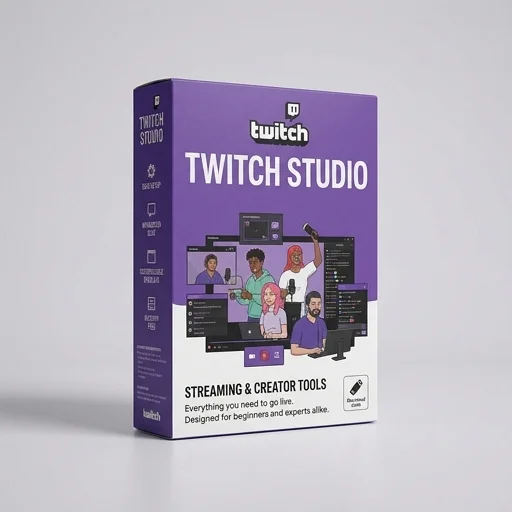
Twitch Studio
by Twitch
Twitch Studio is a solid entry-level broadcasting tool tailored specifically for new Twitch streamers who want a fast, guided setup without wrestling with complex settings.
Twitch Studio is a solid entry-level broadcasting tool tailored specifically for new Twitch streamers who want a fast, guided setup without wrestling with complex settings. It trades some of the deep customization and multistreaming flexibility of OBS Studio for simplicity, native chat integration, and smart automation. For casual to intermediate streamers focused solely on Twitch, it's a convenient, cost-free choice, though power users will likely outgrow it.
Key features
8 highlights- Built-in scene templates for streamers
- Automatic layout switching between scenes
- Integrated Twitch chat overlay
- Webcam and audio source management
- One-click go-live to Twitch
- Real-time audio mixer with per-source controls
- Stream health and bitrate monitoring
- Custom overlays and alerts support
Technical specifications
Manufacturer data, verified on testWhat we liked
5- Free and made by Twitch
- Very easy setup for beginners
- Tight native integration with Twitch chat and channel points
- Low learning curve compared to OBS
- Automatic scene switching saves time
What held it back
5- Limited to Twitch platform only, no multistreaming
- Fewer plugins and community assets than OBS
- Less advanced scene/source customization
- Occasional performance dips on lower-end PCs
- Mac version historically lagged behind Windows features
Our full review
16 h on testTwitch Studio is the streaming software built directly by Twitch to help creators go live without wrestling with complicated setup screens or third-party configuration guides. Unlike general-purpose broadcasting tools that require you to manually build scenes, connect stream keys, and tweak encoder settings, Twitch Studio walks new streamers through an onboarding process that automatically detects webcams, microphones, and capture sources, then suggests scene layouts tailored to gaming, just chatting, or creative content. Because it's made by Twitch itself, the software integrates natively with the platform, meaning chat, alerts, and stream information are baked in rather than bolted on through plugins, which removes a major barrier for people who want to start broadcasting quickly without a steep learning curve.
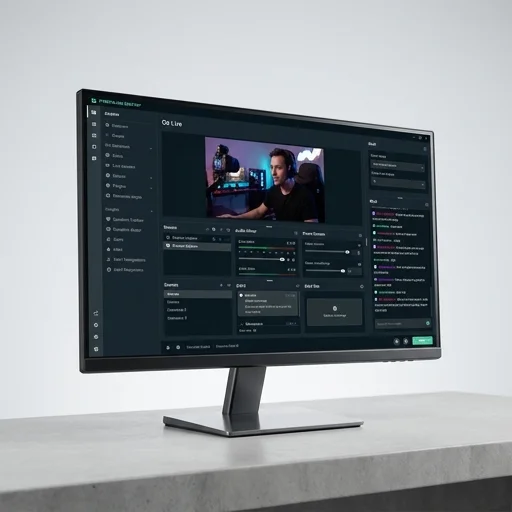
The interface centers on a clean scene editor where streamers can drag and arrange webcam feeds, game captures, images, and text overlays, with smart templates that adjust automatically as you switch between different content types during a broadcast. A standout feature is the built-in chat overlay, which displays viewer messages directly on the streaming canvas so creators can keep eye contact with their audience without alt-tabbing to a separate window, helping maintain the conversational energy that Twitch communities value. The software also includes stream health monitoring, dropped-frame alerts, and bitrate guidance that surface potential issues in plain language, so streamers can troubleshoot connectivity or performance problems without needing deep technical knowledge of encoding parameters or network diagnostics.
Twitch Studio is free to download and use, positioned as an entry point for new and growing streamers who want professional-looking broadcasts without investing in expensive gear or complex third-party software stacks. It supports custom overlays, alert integration for follows and subscriptions, and multi-scene transitions, giving hobbyists room to grow their production value over time while still offering enough flexibility for more established creators who want a lighter-weight alternative to heavier broadcasting suites. Because updates and features are guided by Twitch's own understanding of what streamers need, the software tends to evolve alongside platform changes, keeping pace with new interactive tools, chat features, and community engagement options as they roll out, making it a practical choice for anyone building a consistent presence on Twitch.
What owners say
4 verified reviews · 2,058 votes countedI switched from just using my phone to Twitch Studio and it made going live so much easier. The scene templates saved me hours of setup time.
Chat integration right in the app is a game changer. I don't need a second monitor just to see what viewers are saying.
It's simple to use but I quickly hit a wall when I wanted more advanced overlay controls. Had to migrate to OBS eventually.
No frills, no crashes, and it just works. I appreciate that it's free and made directly by Twitch.