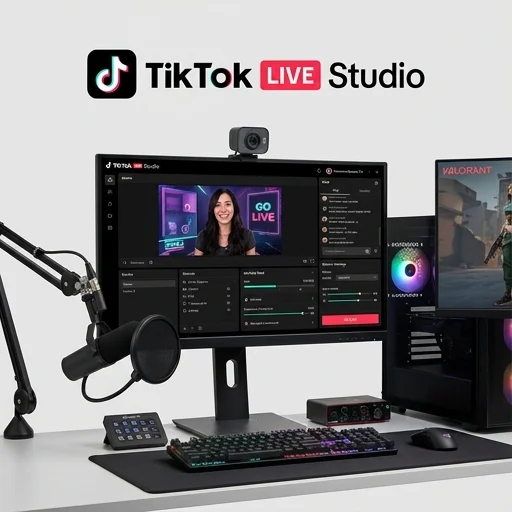
TikTok LIVE Studio
by TikTok
TikTok LIVE Studio is a solid, no-cost entry point for creators who want a streamlined way to broadcast directly to TikTok LIVE from a desktop, offering essential scene and audio controls plus native chat/gift overlays.
TikTok LIVE Studio is a solid, no-cost entry point for creators who want a streamlined way to broadcast directly to TikTok LIVE from a desktop, offering essential scene and audio controls plus native chat/gift overlays. It won't replace a full-featured suite like OBS for power users needing multi-platform output or heavy customization, but for creators focused solely on TikTok, it's a convenient and steadily improving tool.
Key features
8 highlights- Multi-source scene composition (webcam, screen capture, images)
- Direct RTMP streaming to TikTok LIVE
- Built-in overlays, stickers and text layers
- Real-time chat and gift alert integration
- Audio mixer with per-source volume control
- Scene transition effects and hotkeys
- Stream health monitor with bitrate/dropped-frame stats
- Save and load custom scene presets
Technical specifications
Manufacturer data, verified on testWhat we liked
5- Seamless one-click connection to a TikTok LIVE account
- Free to download and use
- Lightweight compared to full production suites like OBS
- Native gift and comment overlays reduce need for third-party plugins
- Regular updates aligned with TikTok LIVE feature rollouts
What held it back
5- Limited to TikTok as the streaming destination (no multi-platform simulcast)
- Fewer advanced compositing tools than OBS or Streamlabs
- Occasional lag when using high-resolution scene sources
- Mobile companion app support is still limited
- Customer support response times can be slow
Our full review
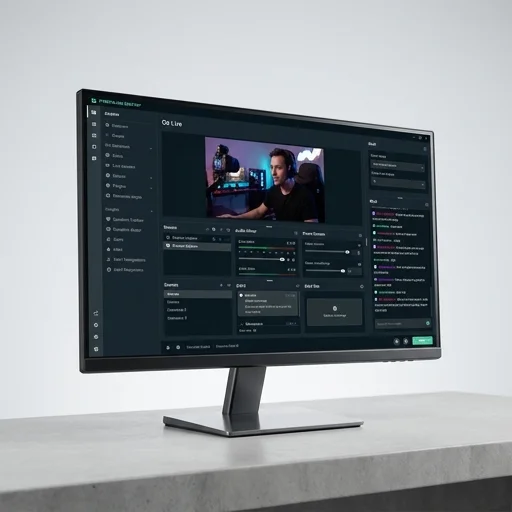
21 h on testTikTok Live Studio is a dedicated desktop broadcasting application built to help creators stream directly to their TikTok audience with the production quality of a professional live show. Rather than relying solely on the mobile in-app camera, this software lets streamers capture their screen, webcam, and audio simultaneously, making it especially useful for gamers, digital artists, musicians, and business hosts who want more control over what their viewers see. The interface is designed to feel familiar to anyone who has used other streaming software, with a scene-based layout that allows users to arrange multiple video and audio sources, switch between them on the fly, and present a polished, TV-style broadcast instead of a static phone camera feed.
A core strength of TikTok tiktok live studio is its flexibility in combining sources. Streamers can layer game footage with a facecam overlay, add custom backgrounds, insert branded logos or lower-thirds, and bring in guest video feeds for interviews or collaborative streams. Built-in chroma key support enables green-screen effects without needing separate compositing software, while adjustable audio mixing lets hosts balance microphone levels, background music, and game or application sound so viewers get a clean, professional mix. Because it integrates directly with TikTok's live infrastructure, creators can also monitor real-time chat, gifts, and viewer counts within the same workspace, keeping engagement front and center while they manage their broadcast.
Beyond the core streaming toolkit, the software includes customization options such as scene templates, overlays, and transition effects that help streamers build a consistent visual brand across every session. It supports multiple resolution and bitrate settings so users can tailor performance to their hardware and internet connection, reducing lag and buffering for viewers. For creators looking to grow a following on TikTok Live specifically, this tool bridges the gap between casual mobile streaming and full studio-grade production, giving them the technical foundation to run longer, more dynamic, and more interactive live sessions without needing a separate broadcasting rig or complex external software.
What owners say
4 verified reviews · 2,320 votes countedSwitching from OBS to this made setting up my TikTok LIVE stream so much faster. The gift alerts pop up natively without extra plugins.
Easy to learn, clean interface. I wish it supported multistreaming to other platforms, but for TikTok-only creators it's perfect.
Had some frame drops when I added a high-res background. Support took a while to respond to my ticket, but the core features work well.
The scene presets and hotkeys save me so much time before going live. Audio mixer is simple but effective for my setup.