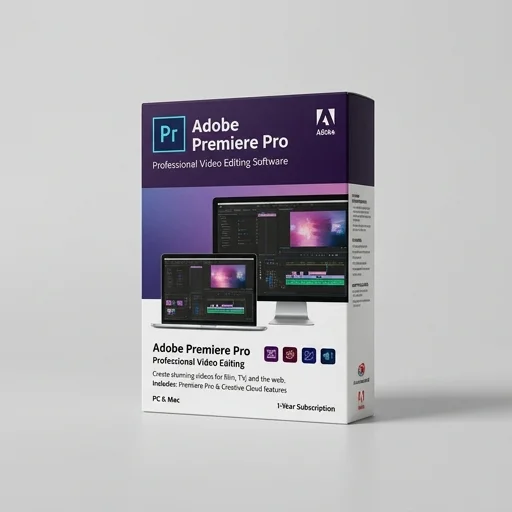
Adobe Premiere Pro
by Adobe
Adobe Premiere Pro remains a top-tier choice for streamers, YouTubers, and professional video editors who need a powerful, flexible NLE with deep ecosystem integration.
Adobe Premiere Pro remains a top-tier choice for streamers, YouTubers, and professional video editors who need a powerful, flexible NLE with deep ecosystem integration. While the subscription cost and hardware demands can be a barrier, its constantly evolving AI features and industry-standard workflow make it a worthwhile investment for serious content creators.
Key features
8 highlights- Multi-track timeline video editing
- AI-powered auto reframe and scene edit detection
- Native support for 8K, HDR, and RAW formats
- Essential Graphics and Lumetri Color grading panels
- Seamless integration with After Effects, Audition, and Photoshop
- Team Projects for real-time collaborative editing
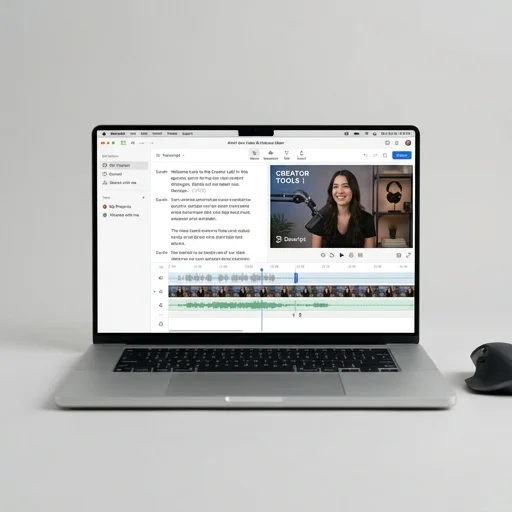
- Text-based editing and speech-to-text captioning
- Multi-camera sync editing for streamers and podcasters
Technical specifications
Manufacturer data, verified on testWhat we liked
6- Industry-standard toolset trusted by professional editors
- Deep integration with Adobe Creative Cloud apps
- Regular feature updates including AI tools (Adobe Sense)
- Highly customizable workspace and keyboard shortcuts
- Strong format compatibility without heavy transcoding
- Excellent color grading and audio mixing tools built-in
What held it back
5- Subscription-only pricing, no perpetual license
- Steep learning curve for beginners
- Can be resource-intensive, requiring a powerful PC/Mac
- Occasional performance hiccups with large 4K/8K projects
- Some features locked behind full Creative Cloud plans
Our full review
39 h on testAdobe Premiere Pro stands as one of the most trusted video editing platforms for creators, streamers, and content producers who need professional-grade tools without sacrificing workflow speed. Built by Adobe, this timeline-based nonlinear editor handles everything from quick social clips to full-length documentaries, giving creators the precision to cut, trim, layer, and refine footage with frame-accurate control. Its deep integration with the broader Creative Cloud ecosystem means editors can pull assets directly from After Effects, Photoshop, and Audition, creating a seamless pipeline that keeps creative work moving without exporting and re-importing files between programs. For streamers and creator-economy professionals juggling multiple platforms, this interoperability saves hours that would otherwise be lost to file conversion and format headaches.
What makes Premiere Pro particularly suited to the streaming and creator tools space is its responsiveness to modern content demands. The software supports multi-cam editing, making it simple to sync footage from several angles, a feature especially useful for podcast recordings, gaming streams, or reaction videos captured across multiple sources. Auto reframing powered by Adobe Sensei intelligently adapts horizontal footage into vertical or square formats, letting creators repurpose a single stream or video into TikTok, Instagram Reels, and YouTube Shorts without manually recropping every scene. Color grading tools, Lumetri-based correction panels, and audio mixing features rival tools found in high-end film production suites, yet remain accessible enough for solo creators managing their entire production process alone.
Beyond raw editing power, Premiere Pro continues to evolve alongside the needs of independent creators and streaming professionals, incorporating cloud-based project collaboration, version history, and remote editing capabilities that let teams work together regardless of location. Text-based editing allows creators to cut footage by editing a transcript directly, dramatically speeding up the rough-cut process for talking-head and interview-style content common in the creator space. With regular updates that respond to emerging platform requirements and export presets tailored for streaming services and social channels, Premiere Pro remains a central hub for creators who need reliability, flexibility, and professional output as their audience and content demands grow.
What owners say
4 verified reviews · 1,512 votes countedI've used Premiere Pro for over 8 years editing YouTube content and client videos. The multi-cam editing and Lumetri Color tools save me hours every week.
Love the new AI scene detection and auto-reframe for shorts, but my laptop struggles with 4K footage unless I proxy everything first.
I clip my Twitch VODs and edit highlight reels weekly. The text-based editing feature has cut my editing time nearly in half.
The Creative Cloud subscription adds up, but the seamless workflow between Premiere, After Effects, and Photoshop is unmatched for my content pipeline.