Descript
by Descript
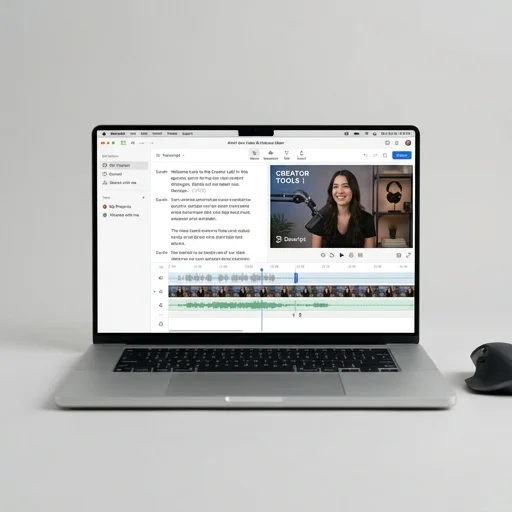
Descript reinvents video editing by treating footage like a text document, making it one of the fastest tools for podcasters, YouTubers, and course creators to cut, correct, and polish content.
Descript reinvents video editing by treating footage like a text document, making it one of the fastest tools for podcasters, YouTubers, and course creators to cut, correct, and polish content. It won't replace a full professional suite for complex VFX or color work, but for talking-head videos, interviews, and audio-first content, it's a massive time-saver.
Key features
10 highlights- Text-based video and audio editing
- Automatic transcription with speaker detection
- Overdub AI voice cloning for corrections
- Studio Sound noise reduction and audio enhancement
- Screen recording and webcam capture
- Filler word removal (um, uh) with one click
- Multitrack timeline editing
- Green screen effect without physical green screen
- Collaborative workspace with comments and sharing
- Publish directly to YouTube, Spotify, and social platforms
Technical specifications
Manufacturer data, verified on testWhat we liked
6- Editing video by editing text is fast and intuitive
- Great for podcasters and course creators
- Studio Sound dramatically improves rough audio
- Removes filler words automatically saving hours
- Cloud-based so collaboration is easy
- Regular feature updates and active community
What held it back
6- Can lag or crash on very long, high-res projects
- Overdub requires voice training and has usage limits
- Steeper learning curve for advanced timeline edits
- Subscription cost adds up for teams needing top tier
- Export rendering slower than dedicated NLE software
- Limited advanced color grading and VFX tools
Our full review
19 h on testDescript has redefined what video editing software can feel like by treating your footage like a document instead of a timeline full of clips and waveforms. When you import a video, Descript automatically transcribes the audio, and from there you can cut, rearrange, or delete sections simply by editing the text. Remove a filler word, delete a sentence, or move a paragraph, and the corresponding video and audio update instantly to match. This transcript-based workflow strips away the intimidating learning curve of traditional editors like Premiere or Final Cut, making it especially appealing to podcasters, YouTubers, course creators, and marketing teams who need to produce polished content quickly without mastering complex timelines or keyboard shortcuts.
Beyond the core text-based editing, Descript packs in a suite of tools built specifically for streamers and content creators who publish frequently. Overdub lets users create an AI voice clone of themselves to fix flubbed lines without re-recording, while Studio Sound cleans up background noise and echo to give amateur setups a studio-quality feel. The Eye Contact feature can correct on-camera gaze so creators reading from a script still look like they're speaking directly to their audience. Multitrack editing supports multi-camera podcast and interview setups, and features like filler word removal, automatic silence trimming, and screen recording make it simple to go from raw capture to a shareable video in a fraction of the usual time.
Descript also leans heavily into collaboration and distribution, recognizing that most creators aren't working alone or publishing to just one platform. Projects can be shared with editors, producers, or clients directly in the browser, with commenting and version history baked in much like a Google Doc. Built-in templates and one-click resizing make it easy to repurpose a single long-form video into clips for YouTube Shorts, Instagram Reels, or TikTok, complete with auto-generated captions styled to match each platform's aesthetic. For creators and small teams trying to maintain a consistent content pipeline across multiple channels, Descript positions itself less as a traditional editing suite and more as an end-to-end production hub tailored to the realities of modern content creation.
What owners say
4 verified reviews · 2,002 votes countedAs a solo podcaster, Descript's text-based editing is a game changer. I remove filler words and awkward pauses just by deleting text. Studio Sound alone is worth the subscription.
Overdub is impressive for quick fixes without re-recording. My only gripe is occasional lag with longer 4K projects, but the workflow speed makes up for it.
I record screen tutorials and Descript's transcription plus filler word removal saves me hours per video. Publishing directly to YouTube is a nice bonus.
Took a week to get comfortable with the multitrack features, but now it's my go-to for interview edits. Wish rendering was a bit faster on export.