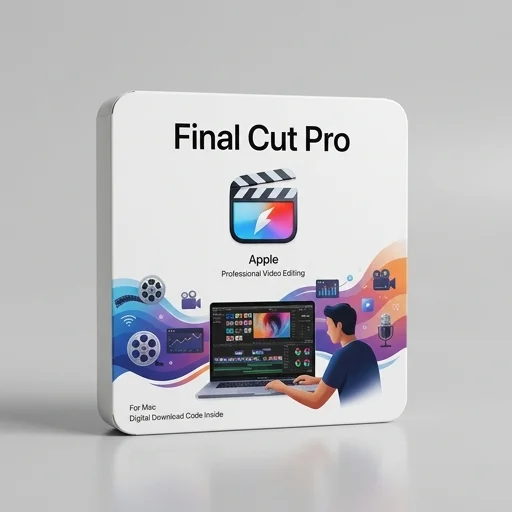
Final Cut Pro
by Apple
Final Cut Pro remains one of the most powerful and efficient video editing tools available for Mac users, combining a unique magnetic timeline, robust color and audio tools, and blistering performance on Apple Silicon.
Final Cut Pro remains one of the most powerful and efficient video editing tools available for Mac users, combining a unique magnetic timeline, robust color and audio tools, and blistering performance on Apple Silicon. Its one-time purchase model is a major draw compared to subscription-based competitors, though its Mac-exclusivity and different workflow paradigm may require adjustment for editors switching from other platforms. For creators fully invested in the Apple ecosystem, it's an outstanding value and professional-grade choice.
Key features
8 highlights- Magnetic Timeline 2 for fast, clip-collision-free editing
- Multicam editing supporting up to 64 camera angles
- Advanced color grading with HDR and color wheels/curves
- Built-in motion graphics via Motion templates
- Optimized for Apple Silicon with ProRes and ProRes RAW support
- Voice isolation and audio enhancement tools
- Object tracking and masking for effects
- Background rendering and machine learning-based scene detection
Technical specifications
Manufacturer data, verified on testWhat we liked
6- Extremely fast rendering on Apple Silicon Macs
- One-time purchase, no subscription required
- Intuitive Magnetic Timeline speeds up editing workflow
- Excellent color grading and audio tools built-in
- Frequent free feature updates
- Seamless integration with macOS and other Apple apps
What held it back
5- Mac-only, no Windows or iPad desktop version
- Steeper learning curve for editors coming from Premiere Pro
- Third-party plugin ecosystem smaller than competitors
- Limited native project collaboration compared to cloud-based NLEs
- Some advanced VFX work still requires external apps
Our full review
56 h on testFinal Cut Pro is Apple's professional video editing software built for creators, YouTubers, filmmakers, and streaming content producers who demand speed and precision in their post-production workflow. Designed exclusively for macOS, it leverages Apple Silicon chips to deliver exceptional rendering speeds and real-time playback even with multiple 4K, 8K, or ProRes streams running simultaneously. The magnetic timeline, a hallmark feature since its redesign, allows editors to work fluidly without the frustration of clips shifting unexpectedly, making it especially popular among content creators who need to turn around videos quickly for platforms like YouTube, Twitch highlight reels, and social media.
Built specifically with modern creator workflows in mind, Final Cut Pro includes powerful color grading tools, advanced audio editing capabilities, and seamless integration with motion graphics through Motion, Apple's companion app. Multicam editing is particularly robust, catering to podcasters and streamers who record with multiple camera angles and need to sync footage effortlessly. The software also supports an extensive library of plugins, LUTs, and transitions, alongside native compatibility with GoPro, drone footage, and vertical video formats increasingly used in short-form content creation. Its object tracking and masking features, powered by machine learning, allow creators to add text, effects, or blur elements with precision that once required far more complex software.
For creators embedded in the Apple ecosystem, Final Cut Pro offers unmatched synergy with iPhone footage, iCloud storage, and Mac hardware, streamlining the entire pipeline from filming to final export. The one-time purchase pricing model, rather than a subscription, appeals to independent creators and small studios watching their budgets, while still delivering professional-grade output suitable for broadcast and streaming platforms alike. Regular updates continue to introduce features like enhanced HDR support, spatial video editing for Apple Vision Pro, and improved collaboration tools, ensuring that Final Cut Pro remains a relevant and competitive choice for creators who want efficient, high-quality video production without sacrificing the polish that keeps audiences engaged.
What owners say
5 verified reviews · 2,148 votes countedAfter years on Premiere, switching to Final Cut Pro was a revelation. The rendering speed alone on my M2 Max is worth the switch, and I love that there's no monthly fee.
The magnetic timeline took me a couple weeks to get used to, but now I can't imagine editing any other way. Color tools are fantastic for grading interviews and vlogs.
I edit multiple videos a week and FCP's speed and built-in effects library save me hours. Multicam sync for podcast recordings works flawlessly.
Performance and features are top-notch, but I collaborate with a Windows editor and file compatibility can be a hassle. Otherwise it's excellent value.
Compared to Adobe's subscription costs, paying once for Final Cut Pro and getting continuous updates feels like a steal. Highly recommend for solo creators and small studios.