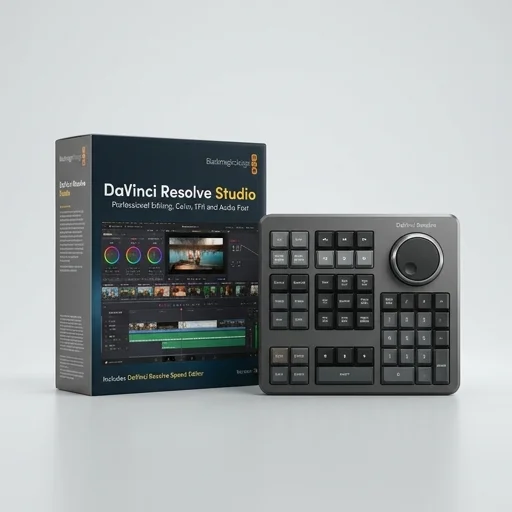
Blackmagic Design DaVinci Resolve
by Blackmagic Design
DaVinci Resolve remains one of the most powerful video editing suites available, combining editing, color grading, audio, and VFX into a single application.
DaVinci Resolve remains one of the most powerful video editing suites available, combining editing, color grading, audio, and VFX into a single application. While the learning curve is real, the free version's depth is unmatched, and Studio's added features justify the modest one-time cost for professionals and serious creators alike.
Key features
8 highlights- Professional color grading with node-based workflow
- Fairlight audio post-production suite
- Fusion visual effects and motion graphics
- Multi-track non-linear video editing
- Cut page for fast rough edits
- Cloud collaboration for team projects
- AI-powered tools like Speed Warp and Magic Mask
- Support for RAW and high-resolution formats up to 8K
Technical specifications
Manufacturer data, verified on testWhat we liked
6- Free version includes most professional features
- Industry-standard color grading toolset
- All-in-one solution: edit, color, audio, VFX
- Regular updates with cutting-edge AI features
- Scales from indie creators to Hollywood studios
- Excellent multi-GPU performance optimization
What held it back
6- Steep learning curve for beginners
- Free version lacks some advanced noise reduction and formats
- Studio version requires paid license for full features
- Can be resource-intensive on lower-end hardware
- Occasional stability issues with complex Fusion compositions
- Interface can feel overwhelming with four separate pages
Our full review
43 h on testDaVinci Resolve from Blackmagic Design is a professional video editing platform that has become a staple for streamers, YouTubers, and content creators who want Hollywood-grade tools without the Hollywood-grade price tag. It combines editing, color correction, visual effects, motion graphics, and audio post-production into a single application, eliminating the need to juggle multiple programs during a content pipeline. For creators building a channel or managing a streaming brand, this means trimming footage, applying color grades, adding titles, and mixing audio can all happen inside one cohesive workspace, saving time and reducing the friction of exporting between different software.
What sets DaVinci Resolve apart in the creator tools space is its color grading engine, built from the same technology used in major film and television productions. Streamers and creators can apply cinematic looks to gaming clips, vlogs, or podcast recordings, giving their content a polished, professional aesthetic that stands out on crowded platforms like YouTube and Twitch. The Fairlight audio module rounds out the package with studio-quality mixing, noise reduction, and multi-track editing, so creators can clean up voiceovers or podcast audio without needing separate software. Fusion, the integrated visual effects and motion graphics suite, allows for the creation of animated overlays, lower thirds, and transitions that give a channel a distinct visual identity.
Perhaps the most appealing aspect for creators is accessibility: DaVinci Resolve offers a fully-featured free version that rivals paid competitors, making it an attractive entry point for streamers just starting out, while the Studio version unlocks additional features like advanced noise reduction, higher resolution support, and collaborative tools for teams working on larger content operations. Its cross-platform availability on Windows, Mac, and Linux ensures flexibility regardless of a creator's setup, and its scalability means it grows alongside a creator's channel, from simple highlight reels to complex multi-camera edits with layered effects. This combination of professional-grade capability and creator-friendly pricing has made DaVinci Resolve a go-to solution for anyone serious about elevating their streaming and content production workflow.
What owners say
5 verified reviews · 2,228 votes countedSwitched from another editor purely for the color page and never looked back. The node system is incredibly powerful once you learn it.
Took me weeks to get comfortable with the four-page workflow, but now I can't imagine editing without Fusion and Fairlight built in.
I run a small YouTube channel and the free version handles everything I need, including multicam editing and solid color correction tools.
Paid for Studio mainly for the noise reduction and it transformed my low-light footage. Occasional crashes with heavy Fusion comps though.
Having editing, VFX, audio mixing, and grading in one app saved me from juggling three different software licenses.