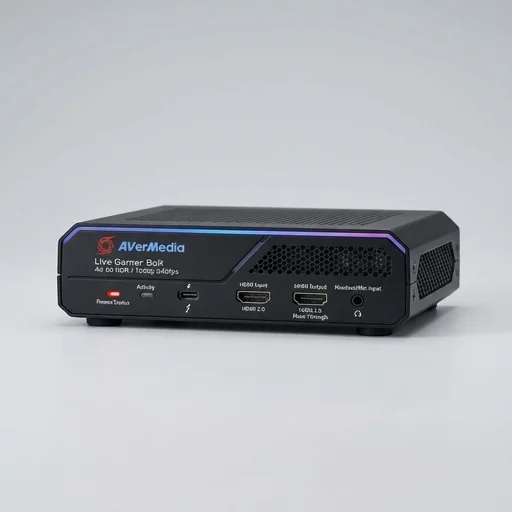
AVerMedia Live Gamer Bolt (GC555)
by AVerMedia
The AVerMedia Live Gamer Bolt is a dependable internal capture solution for streamers and content creators who want near-instant pass-through and clean 4K HDR capture from consoles or a secondary PC.
The AVerMedia Live Gamer Bolt is a dependable internal capture solution for streamers and content creators who want near-instant pass-through and clean 4K HDR capture from consoles or a secondary PC. It's best suited to desktop setups where a free PCIe slot is available, and while the bundled software trails newer competitors, its raw capture performance and latency make it a solid choice for serious multi-source production.
Key features
6 highlights- Internal PCIe x4 capture card for desktop PCs
- HDMI 2.0 input with 4K60 HDR pass-through
- Ultra-low latency capture (under 1ms with pass-through)
- Records up to 2160p60 / 1440p60 gameplay footage
- Bundled RECentral 4 software for capture, streaming and scene switching
- Compatible with PS5, Xbox Series X/S, and PC gaming sources
Technical specifications
Manufacturer data, verified on testWhat we liked
5- Virtually zero-latency HDMI pass-through for monitor use
- Handles 4K HDR signals from current-gen consoles cleanly
- Internal PCIe design frees up USB ports and desk space
- Solid build quality and stable drivers
- Works well with OBS and other third-party software via DirectShow
What held it back
5- Requires an open PCIe x4 slot, not usable with laptops
- RECentral software feels dated compared to competitors
- No onboard H.264/H.265 encoding chip, so it leans on CPU/GPU
- Occasional HDCP handshake issues with certain streaming sources
- Higher price point than comparable USB capture cards
Our full review
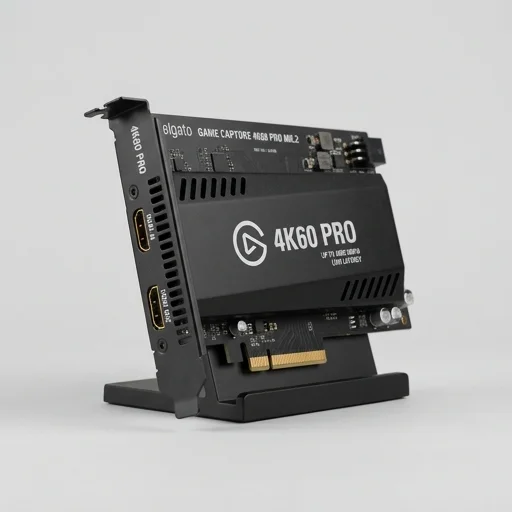
39 h on testThe AVerMedia Live Gamer BOLT is a purpose-built internal capture card designed for creators who refuse to compromise on latency or image fidelity while streaming or recording gameplay. Installed directly into a PCIe slot rather than relying on external USB pass-through, the BOLT captures 4K60 HDR video with what AVerMedia advertises as zero perceptible lag, allowing streamers to see their gameplay on a monitor without the frustrating delay that plagues many external capture solutions. Its internal architecture means it draws power and bandwidth straight from the motherboard, resulting in a more stable and consistent capture pipeline that professional streamers and competitive players demand when every frame and every millisecond counts during live broadcasts.
Built with content creators in mind, the Live Gamer BOLT supports HDR tone mapping and color space conversion, ensuring that the vibrant, high-dynamic-range visuals of modern consoles and PCs are preserved accurately when passed through to recording or streaming software. The card integrates smoothly with popular platforms like OBS Studio, Streamlabs, and AVerMedia's own RECentral software, giving users flexible control over scene composition, overlays, and audio mixing without needing a second PC dedicated solely to encoding. Because it handles capture internally rather than taxing the CPU with software encoding demands, the BOLT frees up system resources, letting the same machine run games and stream simultaneously with less risk of frame drops or stutter during high-intensity capture sessions.
Physically compact and engineered for durability, the Live Gamer BOLT fits into a single PCIe x4 slot, making it a practical choice for creators building a streamlined single-PC setup rather than juggling multiple external boxes and cables. It supports pass-through for a variety of resolutions and refresh rates, accommodating everything from console capture to PC gameplay recording at high frame rates, which appeals to creators covering fast-paced titles where fluid motion matters. As part of AVerMedia's broader Live Gamer lineup, the BOLT reflects the company's focus on serious content creators and streamers who need dependable, low-latency internal capture hardware that integrates tightly with their existing production workflow, making it a solid centerpiece for anyone building a dedicated streaming and creation rig.
What owners say
5 verified reviews · 1,197 votes countedSwitched from a USB capture device and the difference in pass-through latency is night and day. My PS5 footage looks crisp and the HDR pass-through actually works without weird color shifts.
Capture quality is excellent and installation was straightforward once I had a free PCIe slot. RECentral works fine but feels clunky next to OBS, which I ended up using instead.
I use this to bring my gaming PC's HDMI output into my streaming rig. Rock solid after a driver update, handles 1440p60 without dropped frames.
Performance is great once everything is configured, but I had a frustrating week getting it to recognize signal from a media box due to HDCP handshake issues. Support was helpful though.
No dropped frames, no noticeable delay, and the build quality feels premium. Worth it if you have the PCIe slot to spare.