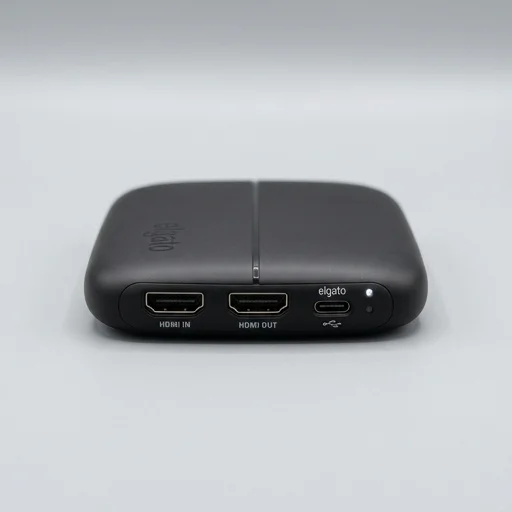
Elgato Game Capture HD60 S
by Elgato
The Elgato Game Capture HD60 S remains a dependable, beginner-friendly external capture card for streamers focused on 1080p60 content.
The Elgato Game Capture HD60 S remains a dependable, beginner-friendly external capture card for streamers focused on 1080p60 content. Its simple USB 3.0 setup, solid software suite, and broad console support make it a great value pick, though creators wanting 4K capture will need to look at Elgato's higher-end models.
Key features
6 highlights- 1080p60 capture with zero-lag HDMI passthrough
- USB 3.0 Type-C connection for PC/Mac
- Elgato Game Capture software with Flashback Recording
- Instant Gameplay Highlights sharing to social media
- Stream Deck and OBS/Streamlabs integration
- Compatible with PS5, PS4, Xbox Series X/S, Xbox One, Switch
Technical specifications
Manufacturer data, verified on testWhat we liked
5- Extremely easy plug-and-play setup
- Reliable, low-latency passthrough for competitive play
- Great software with built-in editing and clip sharing
- Small, portable external design, no PCIe slot needed
- Wide console compatibility
What held it back
4- Capped at 1080p60, no 4K capture
- Requires a reasonably capable PC for smooth encoding
- USB-C cable length can be limiting for console setups
- Software updates occasionally introduce minor bugs
Our full review
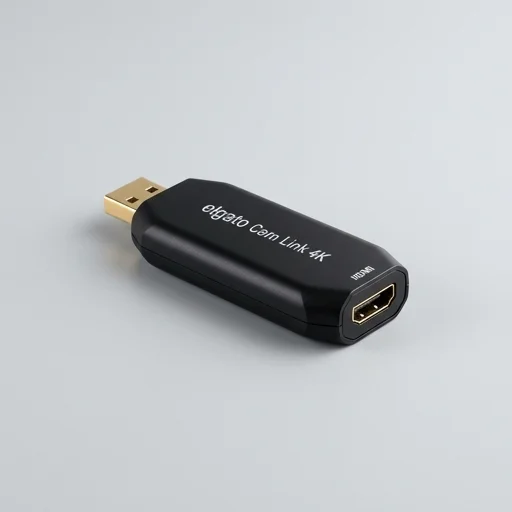
14 h on testThe Elgato Game Capture HD60 S is a compact external capture card designed for gamers and content creators who want to record and stream console or PC gameplay without draining their system's resources. Connecting via a single USB 3.0 cable, this device accepts an HDMI input from your PlayStation, Xbox, Nintendo Switch, or PC and passes it through to your monitor or TV with virtually no perceptible lag, while simultaneously feeding a clean video signal to your computer for capture. It supports capturing footage at up to 1080p60, delivering smooth, vibrant recordings that hold up well for YouTube uploads or Twitch broadcasts, and its low-latency technology means competitive players won't feel disconnected from their on-screen action even while streaming.
At the heart of the HD60 S experience is Elgato's proprietary software suite, which pairs the hardware with an intuitive interface for recording, live streaming, and instant replay functions. Users can flag highlights during gameplay with a simple hotkey, then trim and export those moments directly into shareable clips without needing a separate video editor for basic tasks. The software also integrates seamlessly with popular streaming platforms and third-party broadcasting tools like OBS and Streamlabs, making it easy to overlay webcam feeds, alerts, and scene transitions on top of captured footage. Built-in support for scene switching and audio mixing further streamlines the process of going live, letting creators manage a full broadcast setup without juggling multiple separate applications.
Physically, the HD60 S is small enough to tuck beside a console or slide into a backpack, making it a practical choice for creators who travel to tournaments or switch setups frequently. Its plug-and-play design eliminates the need for external power adapters, drawing power directly through USB, which simplifies cable management on any desk or streaming station. Compatible with both Windows and Mac systems, it offers flexibility for creators regardless of their primary editing or streaming platform, and its reputation for driver stability means fewer headaches when updating software or switching between games. For streamers and video creators seeking dependable, high-quality capture without the complexity of professional broadcast equipment, the HD60 S remains a well-regarded entry point into console and PC content creation.
What owners say
4 verified reviews · 1,769 votes countedSetup took five minutes and I was streaming from my PS5 with zero lag. The passthrough is flawless and the software is intuitive.
Works great for 1080p60 streams and clips are easy to share. Only downside is no 4K support, but for the price it's excellent.
Been using this for over a year with OBS. Never had a dropped frame. Build quality feels solid despite the small size.
As someone new to streaming, this made everything simple. The instant highlights feature is a nice bonus for quick clips.