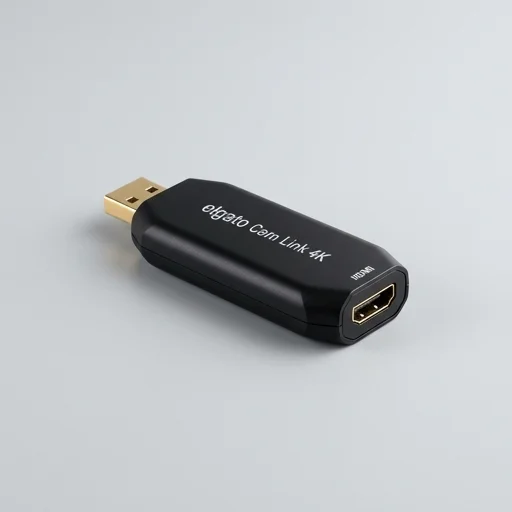
Elgato Cam Link 4k
by Elgato
The Elgato Cam Link 4k remains a go-to solution for creators wanting to turn a DSLR, mirrorless camera, or camcorder into a high-quality webcam or streaming source.
The Elgato Cam Link 4k remains a go-to solution for creators wanting to turn a DSLR, mirrorless camera, or camcorder into a high-quality webcam or streaming source. Its near-zero latency and broad compatibility make it a reliable choice for streamers, podcasters, and remote presenters who need pro-level video without complex setups.
Key features
6 highlights- Capture up to 4K30 or 1080p60 via HDMI
- UVC compliant, works as a plug-and-play webcam
- Ultra-low latency capture (under 1 frame)
- Compatible with OBS, Zoom, Teams, Streamlabs, and more
- Compact USB 3.0 dongle design
- Supports DSLR, camcorder, and action cam HDMI output
Technical specifications
Manufacturer data, verified on testWhat we liked
6- Extremely low latency for real-time streaming
- Works with virtually any HDMI camera or device
- Simple plug-and-play setup, no drivers needed on most systems
- Small, portable form factor
- Broad software compatibility across streaming and conferencing apps
- Solid build quality typical of Elgato hardware
What held it back
5- Requires a capable USB 3.0 port for full performance
- No audio embedding from HDMI in some configurations
- Can get warm during extended use
- Price premium compared to generic capture cards
- No onboard recording storage; relies on connected PC
Our full review
65 h on testThe Elgato Cam Link 4K is a compact HDMI capture device built for streamers, content creators, and video professionals who need to bring an external camera, DSLR, mirrorless camera, camcorder, or even a game console into their computer as a high-quality webcam or live feed source. Rather than relying on onboard camera processing or lossy internal encoders, the Cam Link 4K simply passes through what your capture source is already producing—up to 1080p60 or 4K30—straight into your PC or Mac via USB with essentially zero added latency. This makes it a favorite among streamers on Twitch and YouTube who want crisp, professional-looking video without wrestling with complicated switcher setups or capture cards that eat into frame rates and image quality.
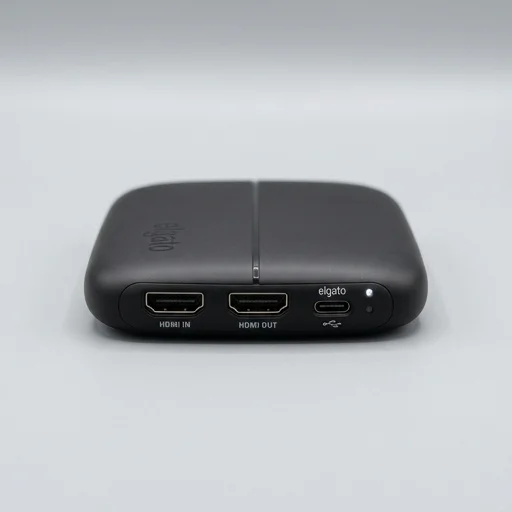
Physically, the device is small and unassuming, roughly the size of a USB flash drive, with an HDMI input on one end and a USB-A connector on the other. There are no drivers to fuss with beyond Elgato's own software ecosystem, and it works seamlessly with popular broadcasting tools like OBS Studio, Streamlabs, Zoom, and Elgato's own Camera Hub app. Because it appears to your computer as a standard UVC webcam device, you can plug it into virtually any application that accepts a webcam input, whether that's a video conferencing tool, a streaming platform, or a video editing suite, and instantly get a dramatically better picture than a built-in laptop camera or generic USB webcam could ever deliver.
What sets the Cam Link 4K apart in the capture device space is its plug-and-play simplicity combined with broadcast-grade image fidelity, making it equally suited to a solo streamer running a DSLR for that shallow depth-of-field look, a musician performing live sessions with a proper camera setup, or a business professional wanting to elevate their video call presence with real camera glass instead of a webcam sensor. It supports a wide range of camera brands and models thanks to its reliance on standard HDMI output rather than proprietary tethering software, giving users flexibility to swap gear without losing compatibility. For anyone serious about visual quality in streaming, content creation, or professional video conferencing, the Cam Link 4K remains one of the most trusted, no-frills solutions for turning existing camera gear into a dependable, high-resolution video source.
What owners say
4 verified reviews · 1,307 votes countedSetup took two minutes and OBS picked it up instantly. Latency is basically nonexistent, which is crucial for live streaming.
Video quality is a massive upgrade over my laptop webcam. Only gripe is it needs a decent USB 3.0 port to avoid dropped frames.
I've used this for over a year on Twitch streams. Never crashes, image quality is crisp, and it just works every time I plug it in.
Performance is excellent, though after a few hours of continuous streaming the unit does warm up noticeably. Still works fine though.