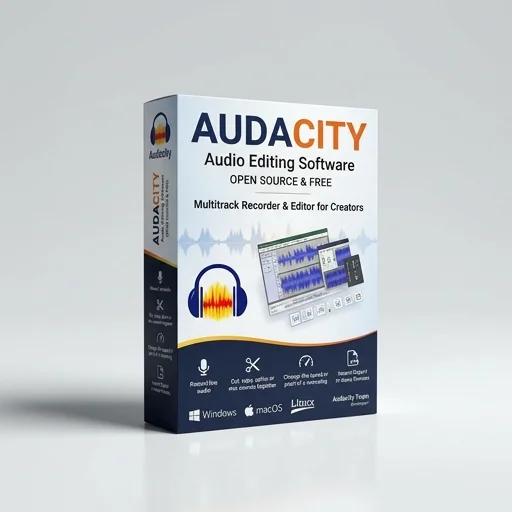
Audacity
by Audacity Team
Audacity remains a go-to free tool for creators needing reliable audio editing without a subscription.
Audacity remains a go-to free tool for creators needing reliable audio editing without a subscription. While its interface shows its age, the depth of editing tools, plug-in support, and stability make it a staple for podcasters, streamers, and content creators who need solid audio post-production without added cost.
Key features
9 highlights- Multi-track audio recording and editing
- Wide format support including WAV, MP3, FLAC, OGG, AIFF
- Built-in effects: noise reduction, normalization, equalization
- Real-time preview of effects and edits
- Plug-in support for VST, LV2, and Audio Unit effects
- Spectrogram view for detailed audio analysis
- Punch and drop recording modes
- Cross-platform: Windows, macOS, Linux
- Macro scripting for batch processing
Technical specifications
Manufacturer data, verified on testWhat we liked
7- Completely free and open-source
- No account or login required
- Low system resource usage
- Extensive plug-in and effect ecosystem
- Regularly updated with community contributions
- Great for podcasters, streamers, and voiceover artists
- Supports multi-track editing for complex projects
What held it back
5- Interface feels dated compared to modern DAWs
- No built-in cloud sync or collaboration tools
- Steeper learning curve for complete beginners
- Limited native MIDI support
- Occasional crashes with very large projects
Our full review
15 h on testAudacity remains one of the most trusted names in audio editing, a free and open-source application that has empowered podcasters, musicians, streamers, and hobbyists alike for over two decades. Developed and maintained by the Audacity Team, this cross-platform software runs seamlessly on Windows, macOS, and Linux, offering a robust suite of tools without the cost barrier typically associated with professional-grade editing. For creators building out their streaming setups or producing show content, Audacity provides a reliable foundation for recording, editing, and mastering audio without requiring a subscription or licensing fee, making it especially appealing to independent creators and small production teams working within tight budgets.
At its core, Audacity offers multi-track recording and editing, allowing users to layer voiceovers, music, and sound effects with precision. The software supports a wide range of audio formats, including WAV, MP3, FLAC, and OGG, and includes built-in effects such as noise reduction, equalization, compression, and pitch correction. Streamers and podcasters particularly benefit from its noise removal capabilities, which help clean up background hiss or hum from home recording setups, while the ability to punch in and out of tracks makes correcting mistakes straightforward without re-recording entire segments. Audacity also supports plug-ins in VST, LV2, and Audio Unit formats, giving users the flexibility to expand its functionality with third-party tools tailored to their specific production needs.
What sets Audacity apart in the creator tools space is its accessibility combined with genuine editing power. The interface, while not as sleek as some paid alternatives, is highly functional and has been refined over years of community feedback, striking a balance between simplicity for beginners and depth for more advanced users. Features like spectral analysis, batch processing through macros, and label tracks for organizing edits make it suitable for everything from quick voice memo cleanup to full podcast episode production. Because it's open-source, Audacity benefits from an active community that contributes plug-ins, tutorials, and ongoing improvements, ensuring the software continues to evolve alongside the needs of today's content creators without ever locking essential features behind a paywall.
What owners say
5 verified reviews · 2,329 votes countedI've used Audacity for years to clean up my podcast recordings. Noise reduction and normalization tools are simple but effective, and it's free which is huge for indie creators.
Does everything I need for stream VOD editing and voiceover cleanup. The UI could use a refresh, but functionality is solid and reliable.
Not flashy, but Audacity gets the job done. I use it daily for trimming and mastering audio clips before uploading to YouTube.
Switched from paid software and haven't looked back. Plug-in support lets me expand its capabilities exactly how I want.
Solid for basic editing, but I've had a few crashes working with longer multi-track projects. Still my go-to for quick edits though.