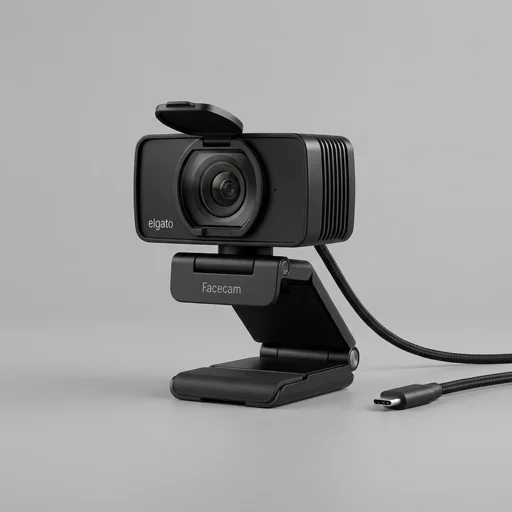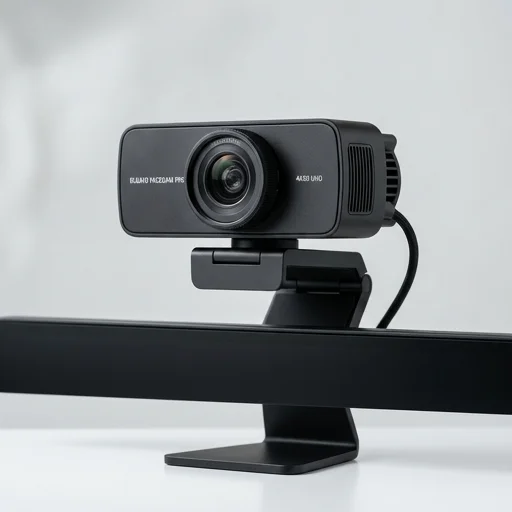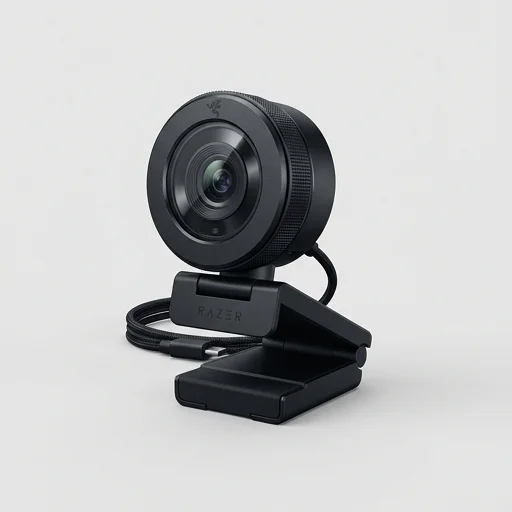
Razer Kiyo Pro
by Razer
The Razer Kiyo Pro stands out as one of the best webcams for streamers and content creators who need reliable, high-quality video regardless of lighting conditions.
The Razer Kiyo Pro stands out as one of the best webcams for streamers and content creators who need reliable, high-quality video regardless of lighting conditions. Its adaptive light sensor and wide aperture make it a strong choice for anyone who streams in variable environments, while the 60FPS 1080p output ensures smooth, professional-looking footage. It's a premium investment, but the image quality and flexibility justify the cost for serious creators.
Key features
6 highlights- Adaptive Light Sensor (HDR) for accurate low-light performance
- High-performance 2.1MP sensor with wide f/2.0 aperture
- Uncompressed 1080p at 60FPS or 1080p at 30FPS via USB 3.0
- Adjustable field of view: 80°, 90°, or 103°
- Versatile mounting: tripod thread and adjustable desk clip
- Windows Camera app and third-party software compatibility
Technical specifications
Manufacturer data, verified on testWhat we liked
6- Excellent low-light and backlit performance thanks to HDR sensor
- Smooth 60FPS output at full 1080p resolution
- Wide dynamic range handles tricky lighting setups well
- Adjustable FOV useful for multi-person streams or tight spaces
- Sturdy build with flexible mounting options
- Works well with OBS, Streamlabs, and Zoom out of the box
What held it back
5- Requires USB 3.0 port for best performance, limiting compatibility with older PCs
- No built-in privacy shutter
- Autofocus can occasionally hunt in mixed lighting
- Higher price point than many entry-level webcams
- No physical zoom controls on the device itself
Our full review
14 h on testThe Razer Kiyo Pro is a premium webcam engineered specifically for streamers, content creators, and remote professionals who refuse to compromise on video quality. At its core is an adaptive light sensor paired with a high-performance, backlit-friendly image sensor that automatically adjusts to lighting conditions in real time, making it exceptional for dim rooms, high-contrast setups, or streamers who rely on ambient RGB lighting rather than dedicated studio lights. Unlike many consumer webcams that wash out or grain up in poor lighting, the Kiyo Pro maintains clarity and color accuracy, which is a critical differentiator for anyone building a professional-looking stream or video call presence.
Under the hood, the Kiyo Pro supports full HD 1080p at 60 frames per second, or 1440p at 30fps, giving creators flexibility depending on whether they prioritize smoothness or resolution. The camera uses an uncompressed USB feed to preserve image fidelity, avoiding the softness or artifacting that plagues cheaper alternatives when pushed through OBS, Streamlabs, or Zoom. A versatile adjustable field of view lets users switch between 103, 90, and 80 degrees, so the camera can be tailored for solo facecam use, group shots, or wider desk setups showing off gaming peripherals or a creative workspace. The mountable clip is compatible with most monitors and tripods, and Razer includes a durable, detachable cable for flexible desk arrangements.
Built with Razer’s typical streaming-first mindset, the Kiyo Pro integrates seamlessly with Razer Synapse software, allowing users to fine-tune exposure, focus, white balance, and other settings without hunting through obscure system menus. This level of control appeals directly to streamers who need consistent, broadcast-ready video without hiring a videographer. Its combination of low-light performance, high frame rates, and adjustable optics make it a standout in the crowded webcam market, positioning it as a serious tool for anyone serious about their on-camera presence rather than just a basic plug-and-play accessory.
What owners say
5 verified reviews · 2,316 votes countedI stream at night with minimal lighting and this camera handles it beautifully. The HDR sensor really does make a difference compared to my old Logitech.
Video quality is fantastic and the 60fps is buttery smooth. My only complaint is no privacy cover, so I use a sticky note when I'm not streaming.
The adjustable FOV is a game changer for switching between solo and co-host streams. Mounting options are solid too.
Had to upgrade my PC's USB ports to get full performance, but once I did, the image quality was noticeably better than my previous webcam.
I use this for dev streams and video calls. Autofocus is mostly great, occasionally hunts a bit but overall very dependable.