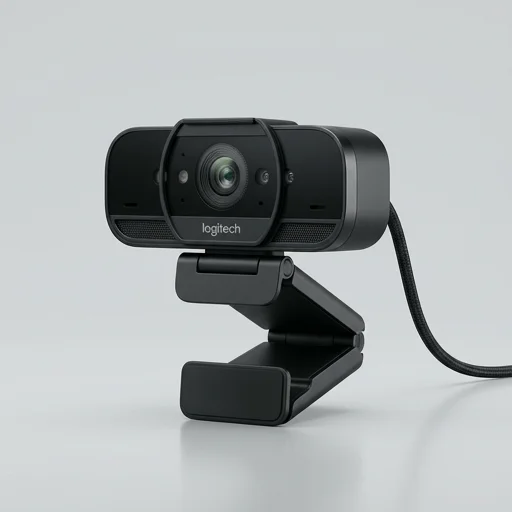
Logitech Brio
by Logitech
The Logitech Brio remains a top-tier choice for streamers and creators who need genuine 4K capture, HDR, and reliable autofocus in a single compact unit.
The Logitech Brio remains a top-tier choice for streamers and creators who need genuine 4K capture, HDR, and reliable autofocus in a single compact unit. While it commands a premium price and lacks a built-in privacy shutter, its image quality, adjustable FOV, and Windows Hello support make it a lasting investment for professional-grade video calls and content creation.
Key features
6 highlights- 4K Ultra HD resolution up to 4096x2160
- HDR and RightLight 3 for low-light correction
- 5x digital zoom with crop-and-zoom framing
- Windows Hello IR facial recognition login
- 90/78/65-degree adjustable field of view
- Dual omnidirectional noise-cancelling microphones
Technical specifications
Manufacturer data, verified on testWhat we liked
5- Exceptional 4K image sharpness in good lighting
- HDR handles backlit and mixed lighting well
- Windows Hello integration speeds up secure login
- Versatile FOV settings for solo or group calls
- Compact design with sturdy universal mount
What held it back
5- Premium price compared to 1080p webcams
- Low-light performance still grainy despite RightLight
- Requires USB 3.0 for full 4K/HDR capability
- No physical privacy shutter included
- Software updates occasionally reset custom settings
Our full review
64 h on testThe Logitech Brio stands as one of the most capable webcams available to streamers, content creators, and hybrid professionals who refuse to compromise on image quality. Capturing true 4K Ultra HD video at up to 30 frames per second, or smoother 1080p at 60fps for fast-paced streaming, the Brio delivers crisp, detailed footage that elevates any broadcast far beyond the muddy, compressed look of built-in laptop cameras. Its HDR support intelligently balances exposure in tricky lighting situations, whether you're sitting in front of a bright window or working in a dimly lit room at night, ensuring your face remains clear and well-defined rather than blown out or lost in shadow. This adaptability makes it a favorite among YouTubers, Twitch streamers, and podcasters who need consistent, professional-grade visuals without investing in a full DSLR camera setup.
Beyond raw resolution, the Brio is built with versatility in mind, featuring a five-times digital zoom and adjustable field of view options at 65, 78, and 90 degrees, letting creators frame shots tightly for close-up commentary or widen the view to include a desk setup, gaming rig, or multiple guests. The autofocus system is quick and reliable, keeping subjects sharp even during animated movements, which matters greatly for streamers who gesture while talking or shift positions during long sessions. Its dual omnidirectional microphones capture clean audio directly from the source, offering a serviceable backup or standalone option for creators not yet ready to invest in external microphones, while still leaving room to pair with dedicated audio gear for those chasing broadcast-quality sound.
Compact and understated in design, the Brio clips easily onto monitors or laptop screens, and its infrared sensors additionally enable secure facial recognition login through Windows Hello, adding a practical touch for professionals using the same setup for work and content creation. Compatibility with major streaming software like OBS Studio, Streamlabs, and Zoom makes it a plug-and-play solution that integrates smoothly into existing creator workflows. For anyone serious about leveling up their on-camera presence—whether for live streaming, video podcasts, tutorials, or virtual meetings—the Logitech Brio remains a benchmark device, balancing image fidelity, flexible framing, and dependable performance in a single, reliable webcam built specifically for the demands of modern content creation.
What owners say
4 verified reviews · 1,358 votes countedSwitched from a basic 1080p cam and the difference is night and day. The 4K detail is crisp even when I crop in for a tighter shot during streams.
Image quality and HDR are fantastic for video calls. My only gripe is having to buy a separate cover for privacy when not in use.
Beyond the excellent video quality, logging into my PC with just my face has been incredibly convenient. Highly recommend for creators and professionals alike.
Autofocus and HDR are excellent in daylight, but I noticed some graininess during evening streams. Still, overall a reliable webcam for content creation.